Reframing smartphone use to encourage mindful, real-world engagement

2 week individual project
UX/UI · Product Design · Interaction Design · User Flows · Mobile

The challenge

Smartphones are designed to capture attention, a tension with wellbeing, where presence and reflection matter. This project explores how Headspace could reframe device use from distraction to mindful engagement.

Process & key decisions

  • Conducted semi-structured interviews to understand behaviours around mindfulness, screen use, and motivation, revealing a strong preference for meaningful offline experiences supported, not driven, by technology
  • Evaluated the existing Headspace app using usability heuristics to ensure the new feature aligned with its calm, minimal, and low cognitive load experience
  • Analysed social and activity based competitors to identify patterns that increase engagement through metrics, feeds, or infinite scroll, and deliberately avoided these to reduce comparison and overwhelm
  • Designed a concise, playful onboarding flow using shape and colour, to clearly introduce the feature. Creating a sense of ownership and approachability

The results

  • Successfully repositioned the smartphone from a source of passive consumption to a tool for mindful, real world engagement
  • Validated through usability testing that onboarding and interaction flows were clear, low-effort, and engaging
  • 94% of participants reported improved wellbeing after reducing phone use
Final Prototype

Understanding behaviours behind wellbeing and attention

interview insights informing design direction

To ground the feature in real-world behaviours, I conducted five semi-structured interviews with people who practised mindfulness and had used Headspace or a competitor.
5/5
Participants reported getting caught in cycles of scrolling on social media
"When I leave instagram I slightly hate myself for spending so long on there"
  • Habitual checking of notifications and app use without a clear purpose
  • Reinforced the decision to avoid feeds, metrics, and infinite scroll patterns
4/5
Exercise, especially outdoors and with others like Parkrun, provided an emotional lift
"I unwind by going for a long walk - get outside and off my phone"
  • Participants associated shared, real world activity with improved mood and overall wellbeing
  • This informed the focus on offline, location-based experiences supported by the app
5/5
Respondents consistently linked a sense of achievement to improved mood, confidence, and self-worth
“I feel happy when I accomplish something, I feel proud of”
  • This supported the inclusion of gentle progress and achievement cues without comparison
Key user insight
"Attention demanded by technology is the opposite of what wellbeing requires. Wellbeing comes from directing attention inward, and toward the world around you."
Research Participant
This insight informed an offline-first, low-attention experience

Ideating

Translating insights into design concepts

Interviewees were sceptical that another attention demanding app would meaningfully support their wellbeing.

The focus shifted from building engagement on screen to designing experiences that guide users toward mindful, real world activity.
Reframing the smartphone as a tool for real world engagement
These directions were selected to explore ways mobile engagement could support presence, reduce distraction, and respond to users’ desire for offline, real world experiences.
Concept directions explored
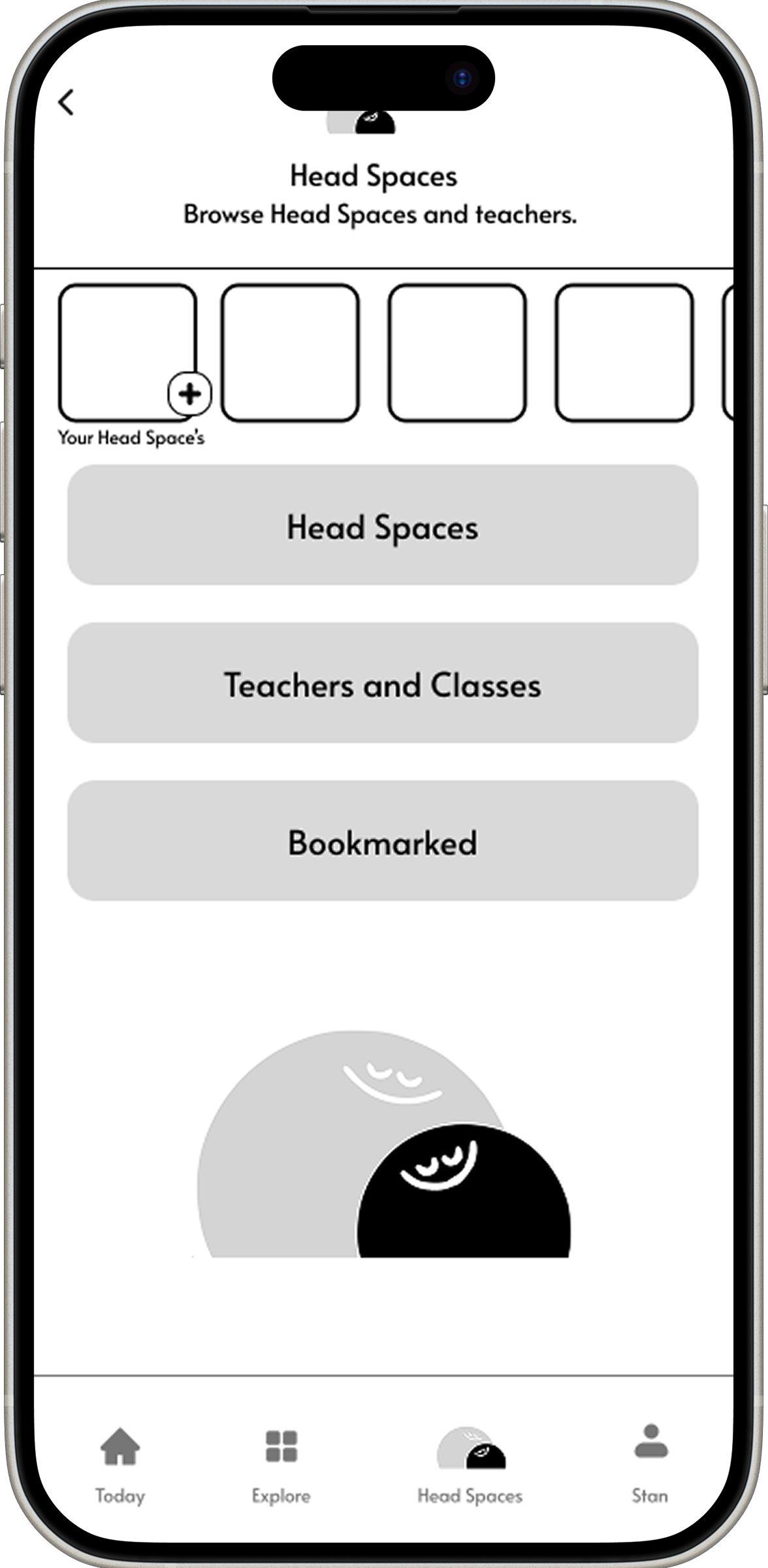
  • Class directory (in-person mindfulness practices)
  • Local events
  • Volunteering opportunities
  • Guided exploration
These directions explored how technology could prompt action, not attention, responding directly to user needs identified in research.
Design decision: Selecting the core user experience
While several concepts were explored, including those listed above. Not all could be meaningfully prototyped within the scope of the project.
Guided walks emerged as the strongest direction, as they:
  • Directly encouraged time away from screens
  • Supported individual and shared experiences
  • Encouraged gentle activity
This direction positioned the smartphone as a tool that supports presence, reflection, and real world engagement. Directly responding to research insights around screen fatigue and the desire for meaningful offline experiences.

User flow: From Onboarding to Guided Walk

This user flow maps the core journey from onboarding to starting a guided walk, designed to minimise cognitive load and move users seamlessly from screen to real-world engagement.
Headspace User Flow. Click to Enlarge.
Technology as orientation, not instruction.

Wireframing & design iterations

From concept sketches I translated ideas into testable interaction flows.

Low-fidelity wireframes were used to explore and validate key user journeys before moving into high fidelity designs. Each iteration was informed by usability testing, with a focus on reducing cognitive load, clarifying intent, and supporting real-world engagement identified in research.

Onboarding: Iteration 1

Iteration 1 revealed that dense content and multiple decisions early in the flow increased cognitive load, echoing earlier research around screen fatigue. This highlighted the need for a more simplified, emotionally supportive onboarding experience.
Introducing guided walks with clarity, calm, and personal relevance.
Onboarding goals:
  • Inform users in an engaging way about the new feature
  • Create a sense of ownership through shape and colour personalisation
  • Maintain a calm reassuring UI, consistent with Headspace’s existing tone and visual language
What I tested:
  • Entry points and navigation options
  • Visual hierarchy and user journey across onboarding steps
  • Effectiveness of personalisation in creating early emotional engagement
Key learnings:
  • High cognitive load caused by too much information presented too early
  • Weak visual hierarchy, making it unclear where to focus attention
  • Excessive explanation reduced interest, leading to early disengagement

Onboarding: Iteration 2

Iteration 2 focused on simplifying the onboarding flow and strengthening visual hierarchy, helping users understand the new feature more quickly while testing whether personalisation could still create emotional connection.
Key changes:
  • Reduced copy and number of screens
  • Progress indicators at the top reinforced a sense of momentum and completion
  • Enlarged font and graphics
Key learnings:
  • The minimal screens lacked a clear progression pattern, leading users to pause or hesitate
  • Reduced copy improved clarity and reduced cognitive load
  • Personalisation was noticed but did not yet feel meaningful
Remaining challenges:
  • Emotional engagement remained low despite improved clarity
  • Onboarding still felt instructional rather than experiential

Onboarding: Iteration 3

Iteration 3 transformed the onboarding from a clear but instructional flow into a calm, guided, and emotionally engaging experience.
Key changes:
  • A prominent 'Next' CTA was introduced on every screen to remove ambiguity around how to proceed
  • Overlays added to subtly guide attention without adding instructional copy
  • Gently moving background shapes introduced a sense of continuity across the onboarding experience
Key learnings:
  • Clear CTAs reduce cognitive effort without breaking calm or immersion
  • Visual guidance is more effective than explanatory text for onboarding flows
  • Gentle motion helped maintain focus while rkeeping the journey relaxed
Outcome
  • Clarity, users consistently knew what to do next at every step
  • Simplicity, minimal copy and low effort interactions supported a calm onboarding experience
  • Engagement, onboarding felt experiential rather than instructional, increasing emotional connection

Design Iterations: Guided Walks

After refining the onboarding , the focus turned to supporting real world activity.

Research showed that users felt noticeably better when they spent less time aimlessly scrolling and more time engaged in intentional, real world activity. The guided walks feature was designed to reposition the smartphone from a source of distraction into a tool that encouraged presence, reflection, and movement.

Guided Walk: Iteration 1

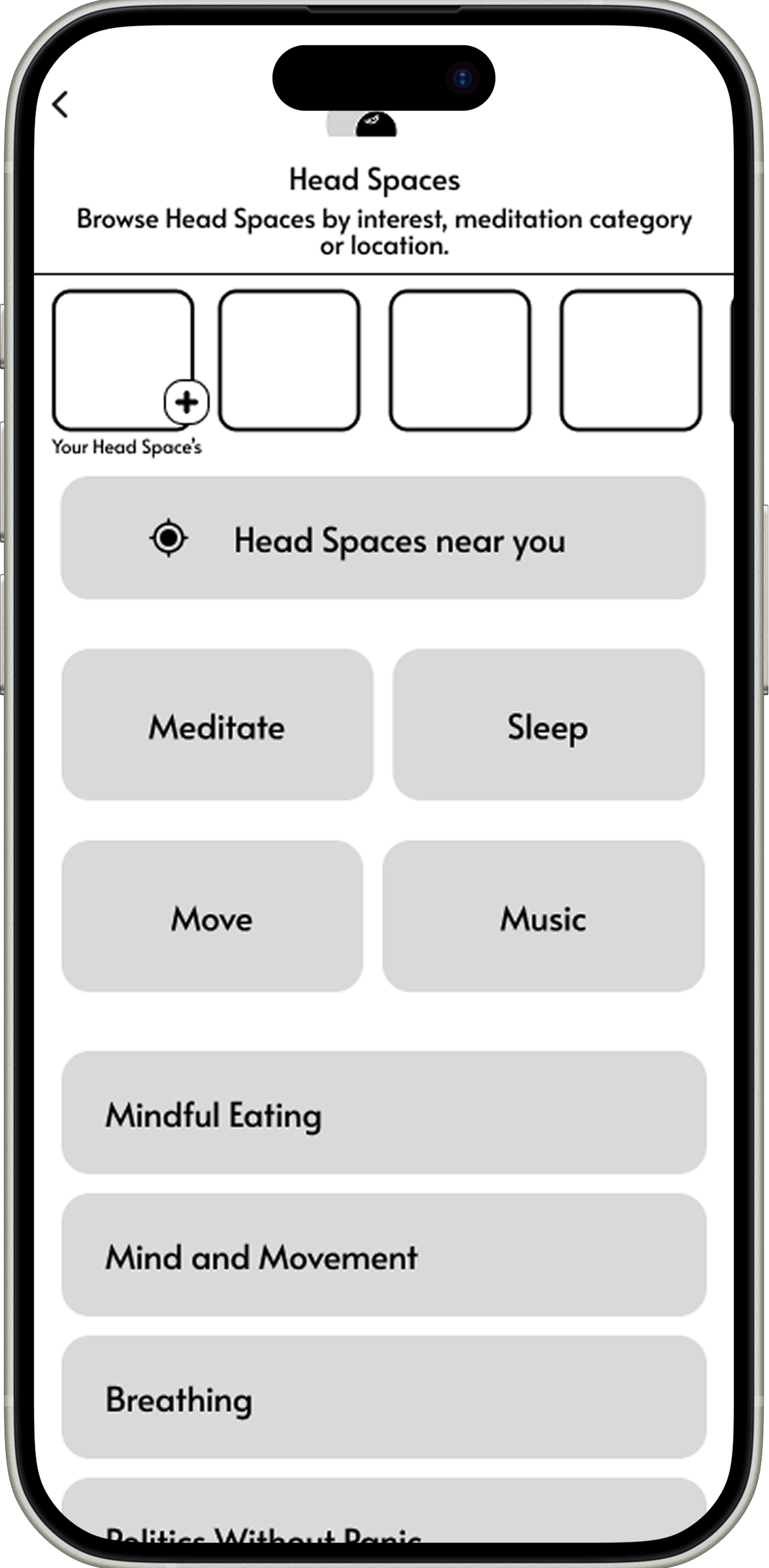
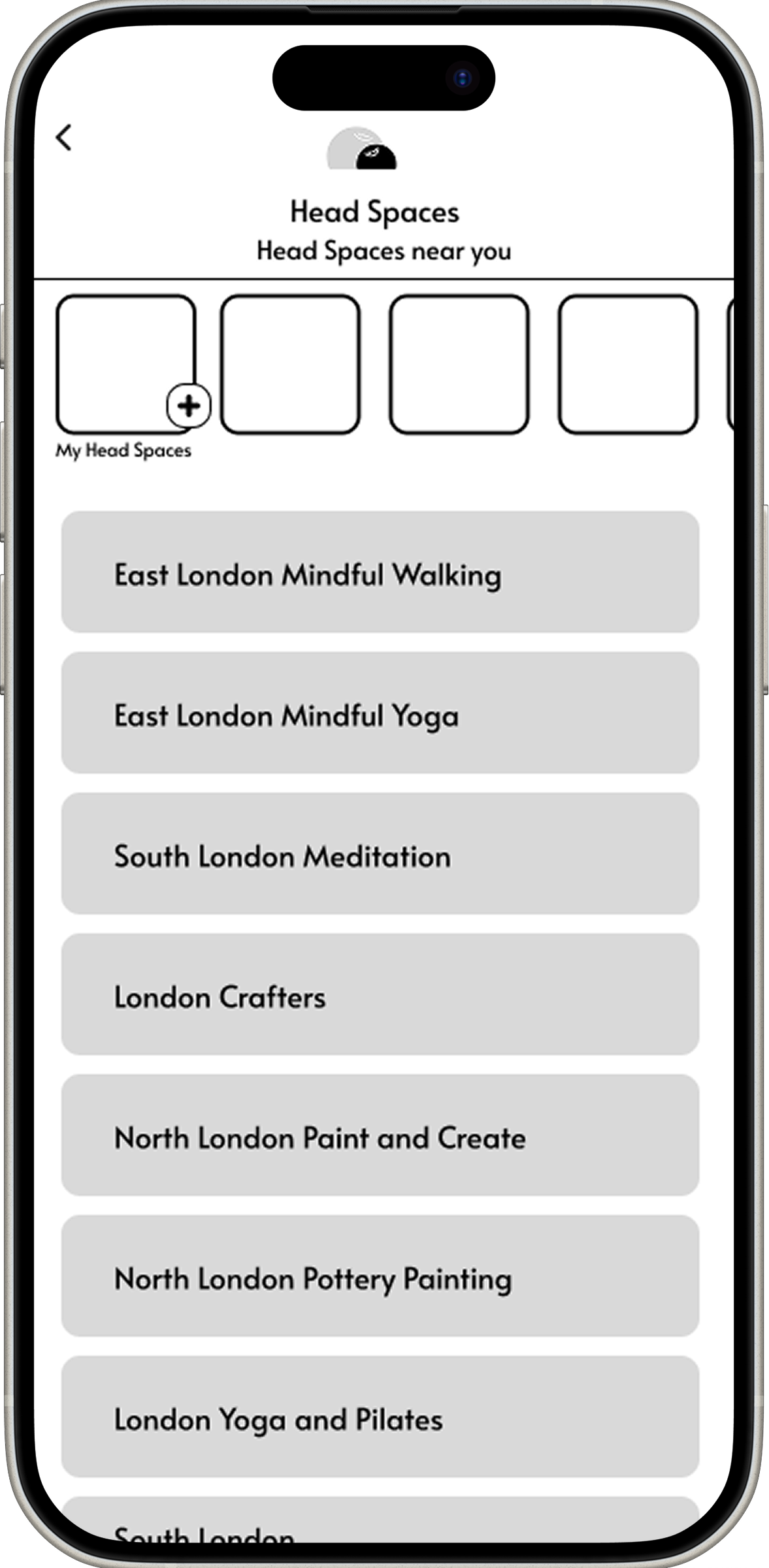
Initial approach, the first iteration explored integrating guided walks into an existing content-led feed, using categories, lists, and location-based browsing to help users discover activities.
Design goals:
  • Shift user behaviour away from passive scrolling toward active, mindful engagement
  • Make progress and completion feel motivating without feeling gamified or competitive
  • Ensure the phone supports the walk, rather than becoming the focus of attention
What we tested:
  • Browsing walks through categories and nearby locations
  • Listing multiple walk options before committing
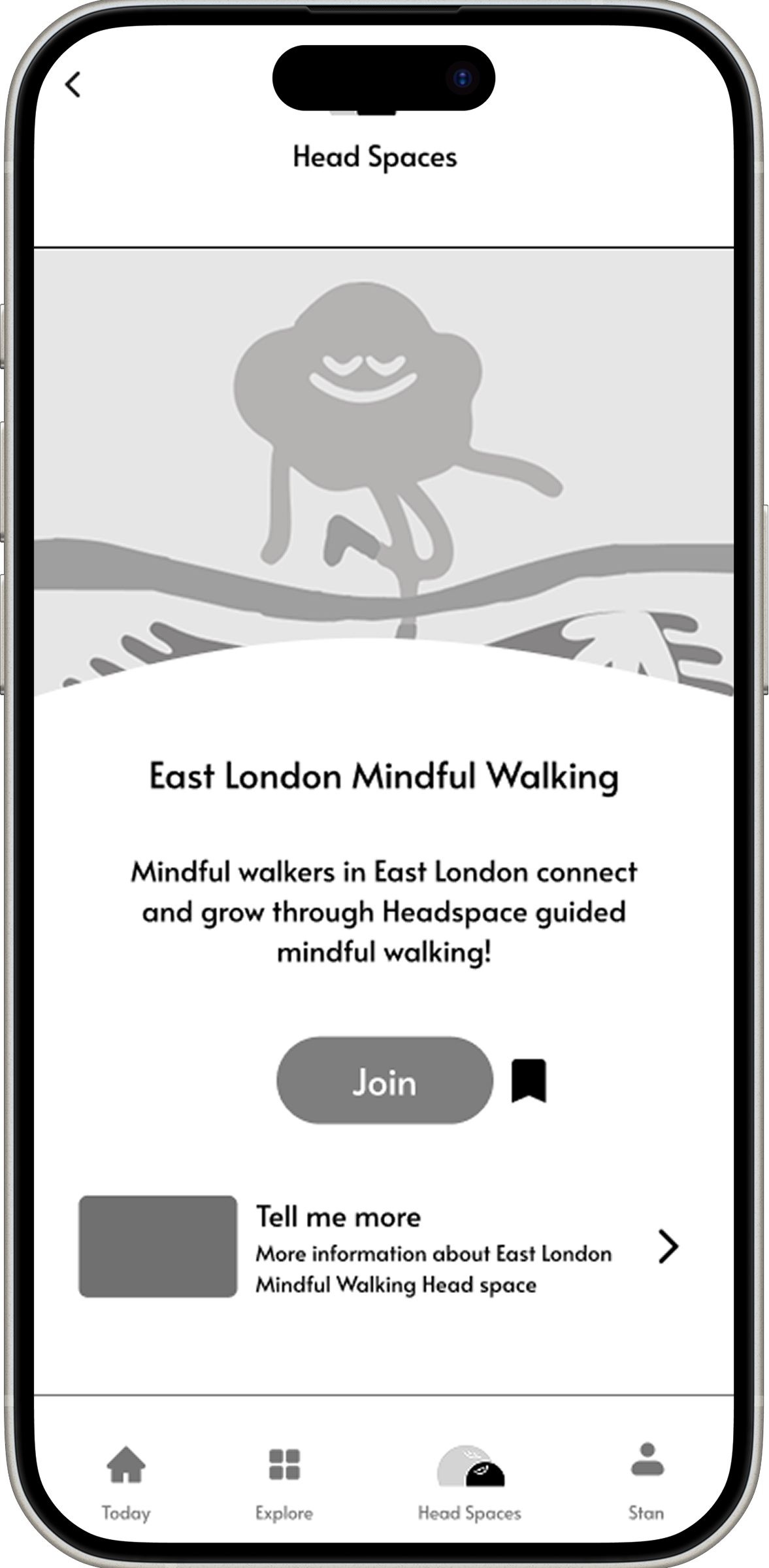
  • Introducing walks in a similar way to existing Headspace content
Key learnings:
  • The experience felt too similar to scrolling, undermining the intent of the feature
  • Users hesitated at the point of selection and were slow to start a walk
  • Too much text, reading, and choice created friction before action

Guided Walk: Iteration 2

Iteration 2 shifted focus from browsing to doing. The interface was simplified to help users start a walk quickly, with fewer decisions and clearer progression.
Key changes:
  • Reduced steps to begin a walk from six taps to three
  • Removed horizontal scrolling in favour of a single vertical flow
  • Introduced a prominent 'Completed' section to reinforce progress and motivation
  • Added a compass-led navigation screen, transforming the phone into a directional tool rather than a content display
Design intent and expected impact:
  • Reduce decision fatigue by minimising on-screen choices before and during a walk
  • Reframe the smartphone as a supportive guide, rather than a source of distraction
  • Reinforce positive behaviour through clear progress and completion cues, without introducing pressure or competition

Key features & design decisions

Translating research insights into purposeful interactions

Each feature was designed to respond directly to research insights around screen fatigue, limited attention, and the need for real world engagement.
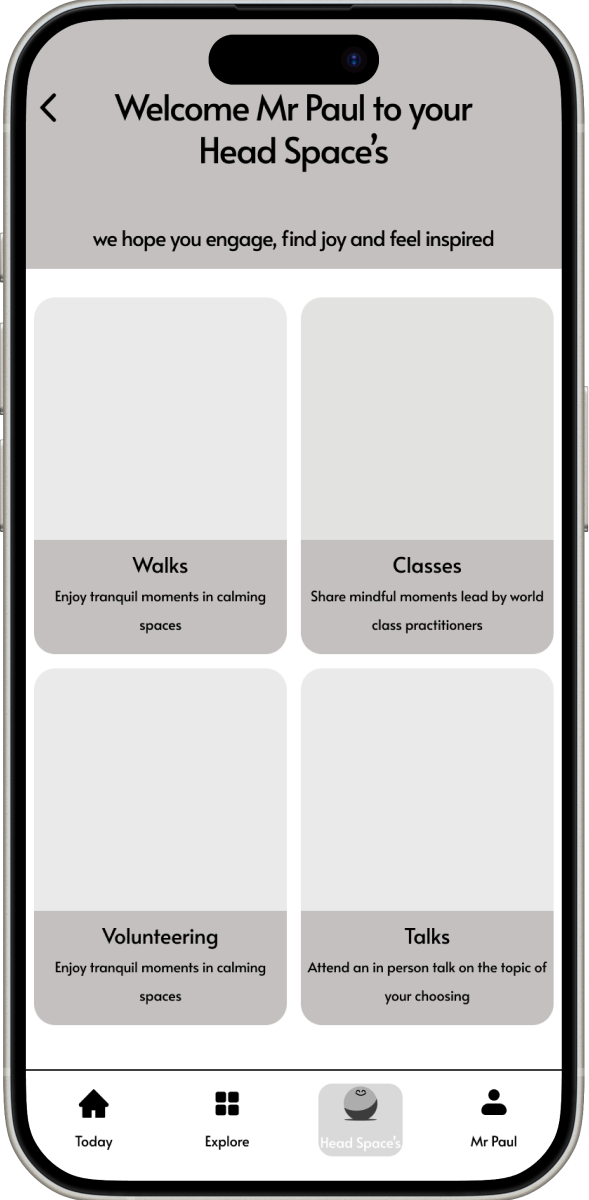
1. Local Experiences Directory
A curated directory of nearby mindful activities, designed to reduce choice overload and lower the effort required to engage offline.
This screen is intentionally limited to four key categories, helping users move from intention to action with minimal distraction.
2. Progress & Completion Tracking
Progress is acknowledged without introducing competitive or performance based metrics.
Completion is surfaced to reinforce effort, support a sense of achievement, and encourage return without pressure.
3. Walk Insights
Only essential information - route highlights, peer reviews, distance, and live weather - is shown to support confident decision making.
Unnecessary detail is intentionally removed to avoid delaying action.
4. Compass, Explorer Mode.
Compass Mode replaces step by step navigation with subtle directional guidance.
By reducing reliance on the screen, the experience encourages presence, curiosity, and independent exploration.

Key constraints, reflections and next steps

This project was completed within a limited timeframe, requiring focus on core interactions rather than full end to end validation.
Key constraints
  • Time limited post-prototype usability testing of the guided walk experience
  • Design direction was limited to the core discovery and in walk experience, the other potential feature directions were not explored or A/B tested within the available timeframe
  • Design decisions were guided by research and iterated through testing and feedback, but were not validated with live product analytics or real world engagement data
Reflections
Designing with mindfulness as the priority required actively resisting familiar app patterns.
  • Directional, visual guidance communicated intent more clearly than instructional copy or step based navigation
  • Removing social and performance based feedback helped preserve a non-judgemental, supportive tone
  • Simplicity was a key element of this design,  intended to move users beyond the screen
Next steps
If developed further, the next phase would focus on validating the experience in real world conditions while maintaining its low-attention ethos.
  • Test the experience with users across different abilities to identify barriers related to navigation, perception, and comprehension
  • Test the guided walk and compass mode in outdoor environments to assess visual attention requirements while walking
  • Create the local experiences directory with location aware recommendations, while preserving the intentionally limited choice set
Final Prototype